

Description
Everything You Love, All in One Place

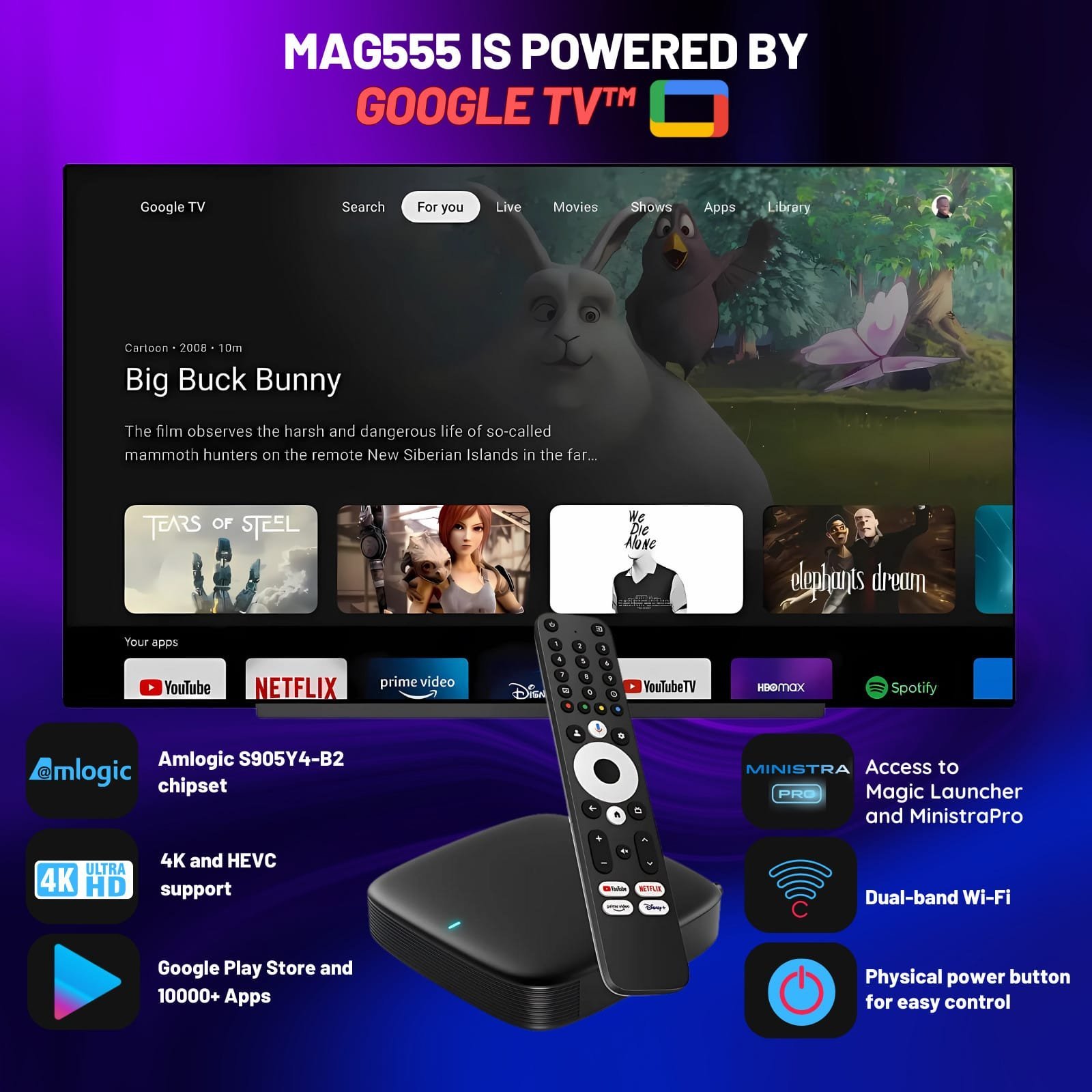
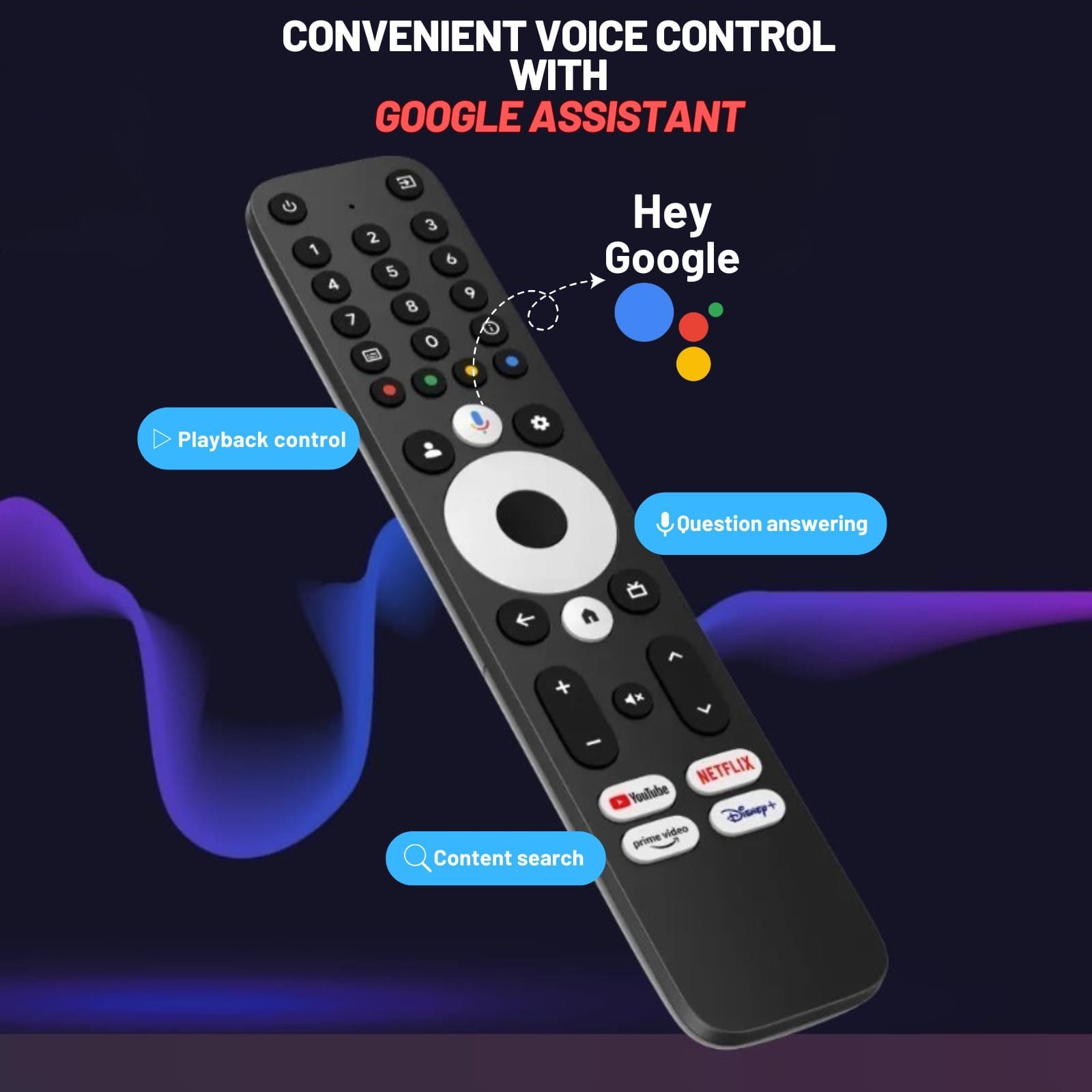
Effortless Voice Control with Google Assistant
With the “Hey Google” voice assistant on the MAG555, managing your TV has never been easier. Control playback, get answers to questions, check the weather, or search for content across all your apps—all hands-free and hassle-free.
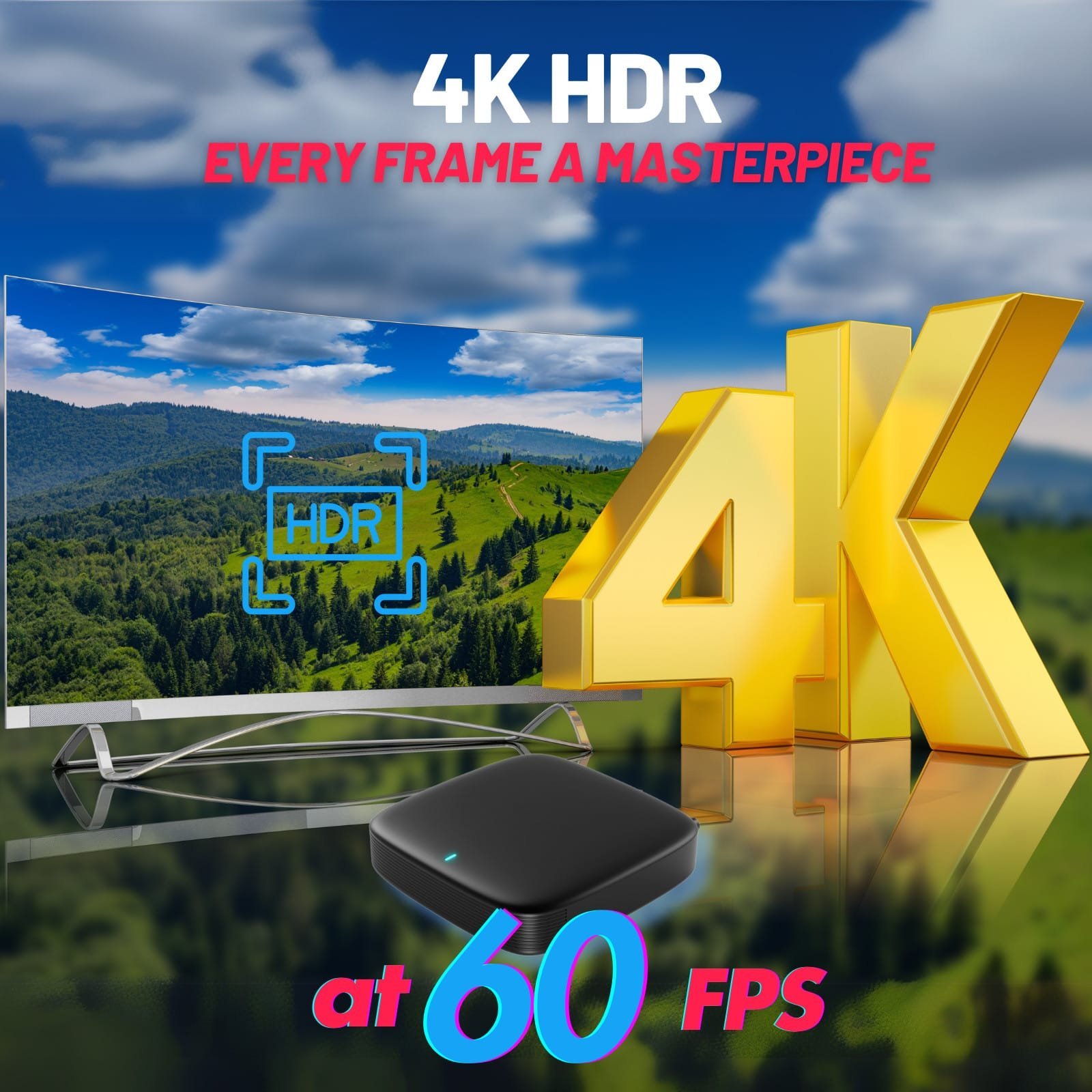
4K HDR at 60 fps for Stunning Visuals
Immerse yourself in the brilliance of 4K content with the MAG555, which supports 60 fps for ultra-smooth video playback. High Dynamic Range (HDR) enhances every scene by revealing true-to-life colors and details in both bright and dark areas, delivering a cinematic experience right in your living room.
Access 10,000+ Apps with Google Play Store
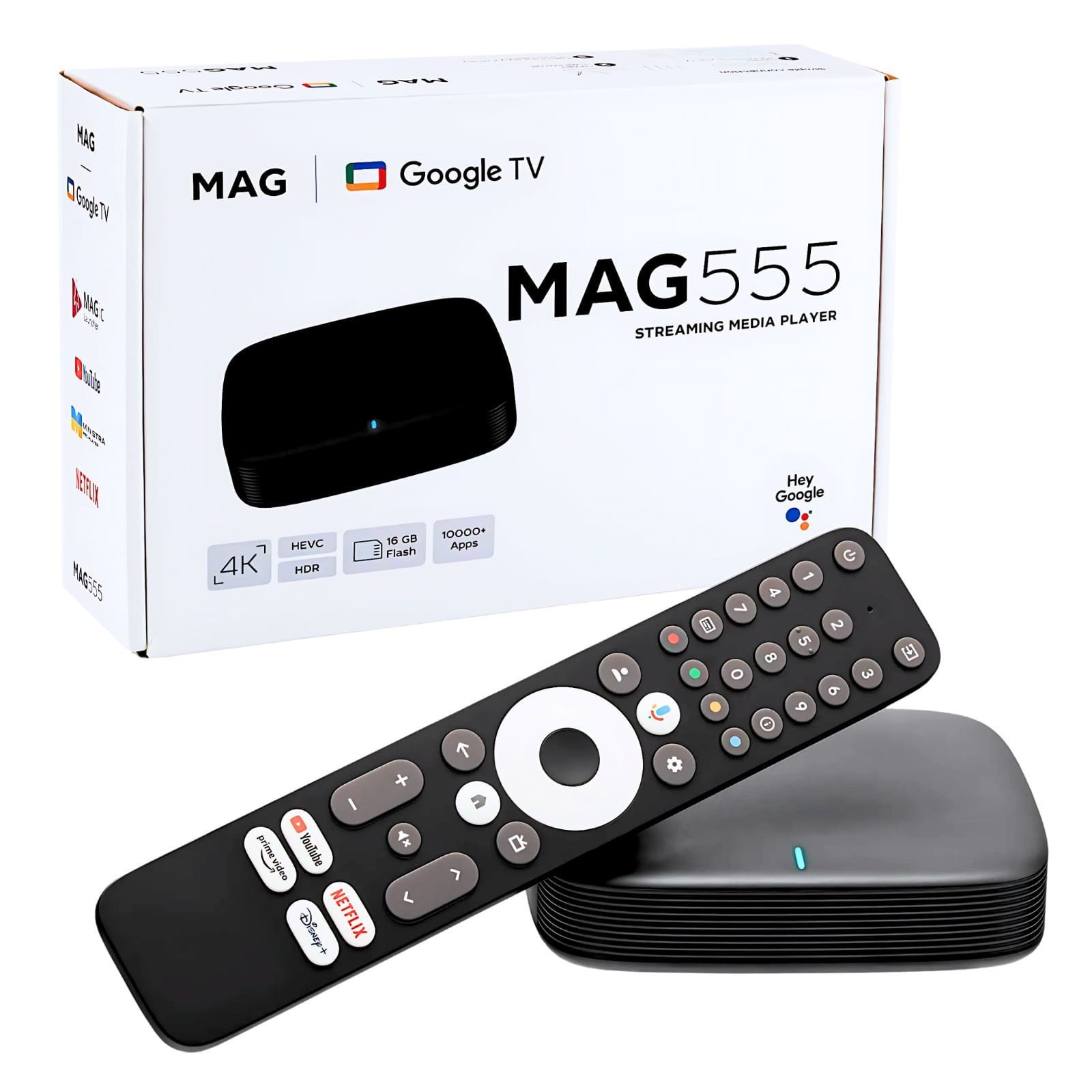
The MAG555 comes with pre-installed applications: Magic Launcher and MinistraPro.
Parental Controls and Custom Profiles
Personalized Recommendations Just for You
Streamline Your Home Entertainment
High-Performance Components with Smart Design
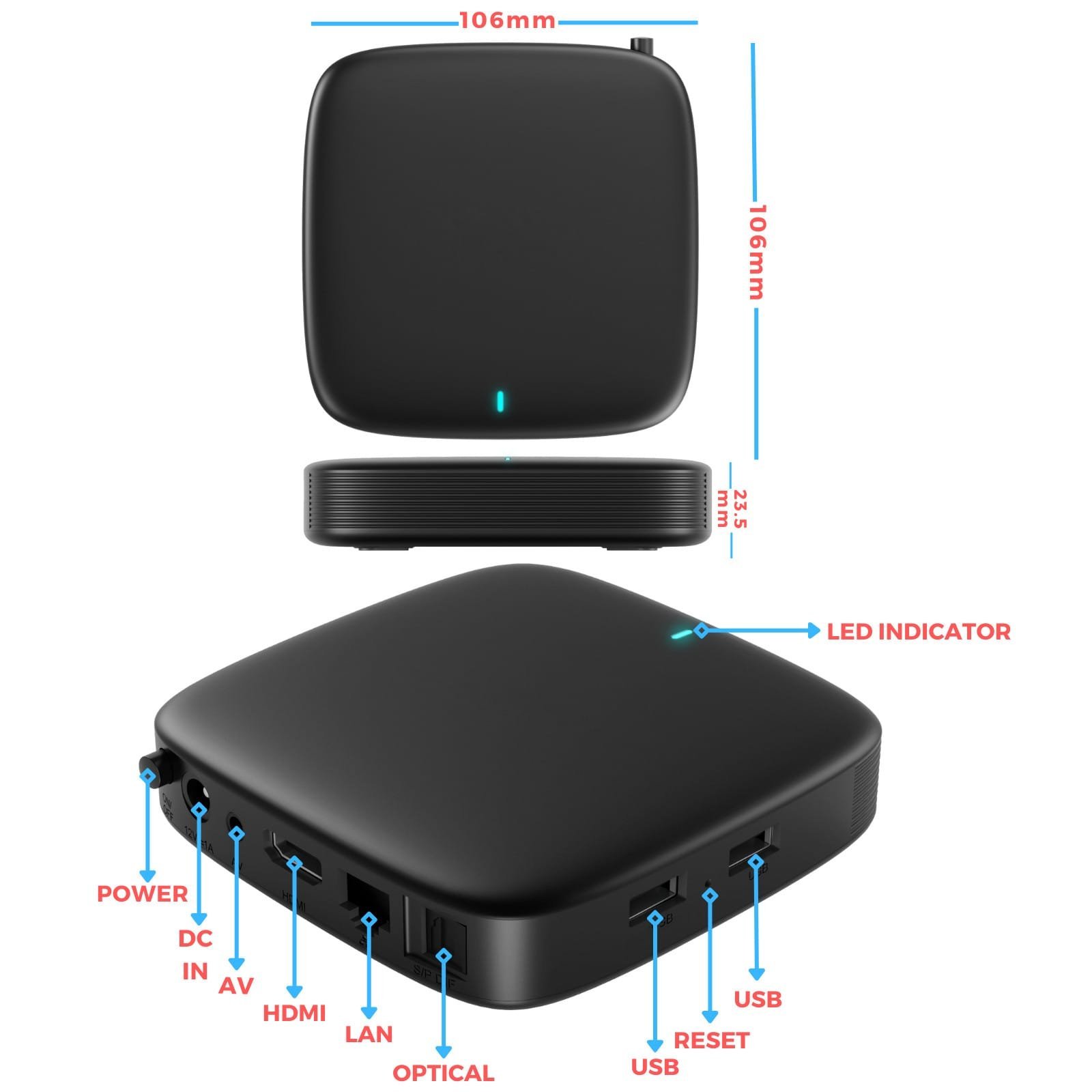
Easy to connect
Specifications
Audio & Video
- Video modes4Kx2K, 1080i/p, 720p, 576i/p, 480i/p
- Audio codecsAAC-LC & AAC-HE, MPEG-1 Layers 2, 3, Dolby Digital
- Video codecsAV1 MP-10@L5.1 up to 4K*2K@60fps, VP9 Profile-2 up to 4K*2K@60fps, H.265/HEVC MP-10@L5.1 up to 4K*2K@60fps, H.264/AVC HP@L5.1 up to 4K*2K@30fps, MPEG-2 MP/HL up to 1080P@60fps. Other codecs on request
- Video containers*.mkv, *.mpg, *.mpeg, *.dat, *.mov, *.mp3, *.ogg
Hardware
- ChipsetAmlogic S905Y4-B (with Dolby Audio)
- ProcessorARM Quad 64-bit Cortex-A35
- RAMDDR4 2GB
- Flash memoryeMMC 16GB
Firmware and CAS/DRM
- Operating systemAndroid™ 12 for TV
- CAS/DRMWidevine
Interfaces
- Digital portsHDMI 2.1 with HDCP
- EthernetRJ45 Interface 10M/100M adaptive
- USB2 x USB 2.0
- Bluetooth5.0 or higher
- Wi-Fi2 x 2 MIMO Wi-Fi 2.4GHz/5GHz 802.11a/b/g/n/ac
Power input
- Power adapterDC 12V, 1A
Physical properties
- W/D/H106 x 106 x 23.5 mm
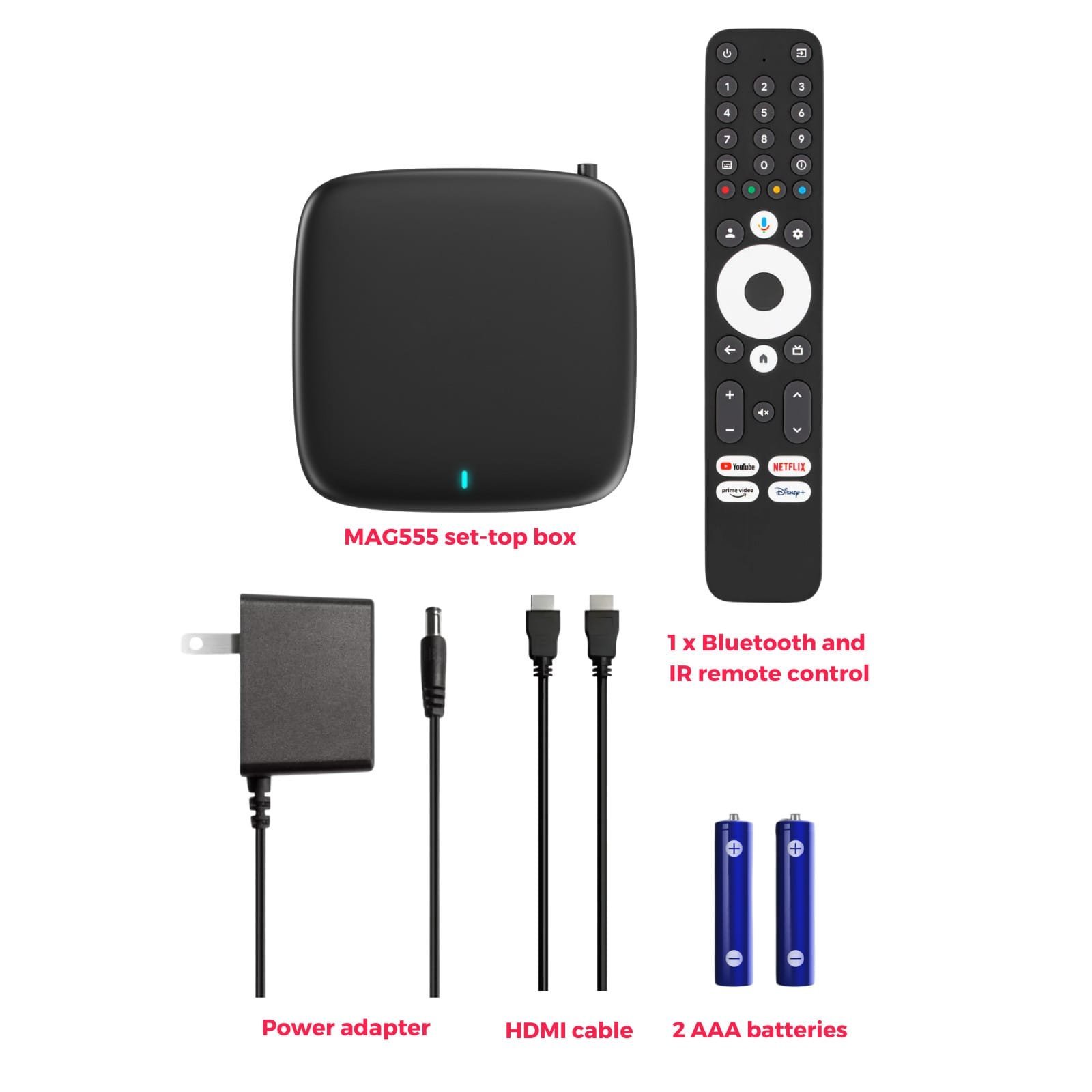
Package contents
MAG555 Troubleshooting Solution
Troubleshooting Guide – MAG555 4K Google TV Set-Top Box
Why is my MAG555 Google TV Box showing No Display after power on?
1. Check HDMI Connection: Ensure the MAG555 is securely connected to your TV’s HDMI port.
2. Verify TV Input: Use your TV remote to select the correct HDMI input source (e.g., HDMI 1, HDMI 2) that the MAG555 is plugged into.
The MAG555 has video, but I hear No Sound. How do I fix the audio?
1. Check TV Volume/Mute: Confirm your television is not muted and the volume is set to an audible level.
2. Check MAG555 Audio Settings: Briefly check the audio output settings within the MAG555 Google TV menu (Settings > Display & Sound).
My MAG555 Android TV Box is failing to connect to the network (Wi-Fi or Ethernet).
1. Ethernet Check: If using a wired connection, ensure the Ethernet cable is securely plugged into both the MAG555 and your router.
2. Wi-Fi Check: Confirm your router is functional and the MAG555 has a strong, stable dual-band Wi-Fi signal.
My MAG555 Remote Control is not working or responding (Remote Control Failure).
1. Replace Batteries: Install new batteries in the remote control, ensuring correct polarity.
2. Check Range: Make sure the Bluetooth remote is within operating range and there are no obstructions.
3. Re-pair Remote: Access the Settings menu on the MAG555 to unpair and then re-pair the remote control via Bluetooth.
FAQs
What you need to know about Google TV
What is the difference between Android TV and Google TV?
Android TV is a platform that transforms your TV into a smart TV with access to streaming apps and games, while Google TV builds on Android TV by providing a more integrated and personalized user experience. Google TV offers advanced content aggregation and recommendation features, organizing your streaming services, apps, and live TV into a single, streamlined interface.
What is the difference between Google TV and Google TV AOSP (Android Open Source Project)?
Google TV is a branded interface and user experience developed by Google, offering a polished and proprietary software layer that includes personalized content recommendations and Google Assistant integration. In contrast, Google TV AOSP (Android Open Source Project) is the open-source version that allows developers and manufacturers more flexibility to customize the interface and functionality without the proprietary Google services and user interface.
What is the difference between YouTube TV and Google TV?
YouTube TV is a streaming service that offers live TV from over 85 broadcast, cable, and regional sports networks. On the other hand, Google TV is a platform that integrates various streaming services, including YouTube TV, into one interface. Google TV allows users to access content from multiple services and provides personalized recommendations across them all.
How does Google TV enhance the user experience compared to traditional smart TVs?
Google TV enhances the user experience by integrating content from multiple streaming services into a unified interface, offering personalized recommendations based on your viewing habits. It also supports voice control through Google Assistant, making it easier to search for content, control playback, and manage smart home devices directly from your TV.
* Google, Android, YouTube, Google TV, Google Cast, and other marks are trademarks of Google LLC.
** Dolby: Manufactured under license from Dolby Laboratories. Dolby, Dolby Audio, and the double-D symbol are trademarks of Dolby Laboratories Licensing Corporation.
*** HDMI: The terms HDMI, HDMI High-Definition Multimedia Interface, and the HDMI logo are registered trademarks of HDMI Licensing Administrator, Inc.
**** HEVC Advance: Covered by one or more claims of the patents listed at Patent Lists.
***** Trademark Notice: All brands contained herein are trademarks of their respective owners.
Jessica T. –
The Perfect All-in-One Streaming Device! I absolutely love the Raxxio MAG555! It transformed my old TV into a powerful smart entertainment hub. The Google TV™ integration is seamless, and having everything in one place.
Jordan M. –
The MAG555 exceeded my expectations! The setup was quick, and the speed is incredible. Finally, a streaming device that supports Netflix and Disney+ without any issues. The best streaming box I’ve used so far.
Miller –
I recently upgraded to the MAG555 and I’m seriously impressed! Super easy to set up and the picture quality is amazing — true 4K HDR! Google Assistant works great too. Totally worth it!
Emily Carter –
This Android TV box turned my regular TV into a smart powerhouse! Setup took less than 5 minutes and now I stream Disney+, Prime Video, and Netflix without any lag. The remote with Google Assistant voice control is super handy!
Jessica R –
Absolutely Love It – Super Precise!
The Raxxio MAG555 4K Google TV Box delivers exactly what I needed for a seamless streaming
Kish –
Working good
Working very well
Billie –
Fine! So far so good
Emmanuel –
Timely accuracy and functionality!
As described, a very good product and works very well.
Dawood –
Good. I am enjoying very easy use
Kishore J. –
Good investment.
Excellent. Very clear picture quality.
J. Macleod –
Great IPTV & Impressive Google TV
I ordered this Raxxio MAG555 Streaming Media Player Google TV Box when I read that it was highly recommended for IPTV usage. I had used two Roku streaming boxes, but they both failed after only a few months. I had an Apple TV box that was very disappointing, and I gave it away. I bought three Amazon Fire TV Sticks, two of which failed, and only one still works, but I haven’t used it for a few years. I use a Micca digital media file player, but that can only play physical video files that I have loaded on a portable USB external hard drive.
I have been using and enjoying this Raxxio MAG555 Google TV Box for all streaming media for about nine months now without any problems or interruptions whatsoever. I used the TiviMate App that I got from the Google Play Store that comes with the Raxxio MAG555 device to perfectly stream IPTV channels. I was using a subscription IPTV service, which worked really great, but now I use publicly compiled and available free worldwide IPTV Channels.
To use this Raxxio MAG555 Box, the TV needs an available HDMI port and a steady Wi-Fi or Ethernet connection. The MAG555 Box runs the Official Google TV Interface & OS, providing a clean and intuitive home screen GUI that organizes installed apps, content, and program guide in one place. Users may download apps from the included Google Play Store app. The included Google TV Freeplay has 265+ streaming channels on my box and you can add more channels through the 1000+ apps available from the built-in Google Play Store app. Freeplay includes free content such as sports, music, movies, TV series, and live TV. The remote control is a Bluetooth Voice-Control Remote with Google Assistant. You can also play a movie file from a USB stick. You can also get streaming network apps that you have subscriptions for from the built-in Google Play Store. There is never a shortage of content to stream. This Raxxio MAGG555 Box has performed flawlessly for nine months. It can do much more than I have listed here.
The only other thing that I wish the Raxxio box could do is turn large TB-sized plug-and-play portable USB hard drives into media libraries with a GUI like a Micca digital media player. I love this streaming media player and its voice-control remote. It is ruggedly made and has performed like a champ. None of my many other streaming boxes lasted as long and were as good as this Raxxio box. I am thrilled to have it and consider it a terrific value.
Max –
Nice box
perfectly
dexter –
All of my family has it
Love it
Katharine B. –
Good
Smooth, responsive. Picture quality is pretty good.
TheZhuZhu –
Flawless streaming finally
A game changer. Everything streams flawlessly. Most issues with the device in my opinion are user errors.
Damien on –
Smart, legit 4K Google TV box that feels polished but still unproven long term
This is a compact 4K HDR Android TV media player that gives you a clean, Google‑style smart TV interface, app marketplace access, and a Bluetooth voice remote, making it feel much more polished than generic “no‑name” streaming boxes. It runs an Amlogic S905Y4‑B2 processor with 2 GB RAM and 16 GB storage (expandable via USB), which is enough for smooth navigation and mainstream streaming apps as long as you’re not trying to load it up with heavy games.
You get dual‑band Wi‑Fi (2.4/5 GHz) and Bluetooth 5.0, 4K HDR at 60 fps, Dolby Digital audio support, user profiles, and parental controls, so it covers the key features people expect from a modern streaming device. The listing is very clear that this is hardware only with no “free TV” or built‑in channels, so you stay on the right side of terms of service and just use your own legitimate apps and subscriptions
R. Singh –
Superb TV Box
Works perfectly on my tv
Madhu Idiyappa kadai –
A good addition to Amazon or Roku besides cable
It is a helpful device (IPTV) to get more channels with a price comparable to a cable TV sponsors like Comcast, Direct TV etc., with an excellent picture quality. However, IPTV channels availability depend on the provider including price and service. It is certainly worth to get one if you like to see channels from different countries (e.g., US, UK, Arabic, India, Australia etc.) to enjoy different programs and cultures.
Kawfeeman –
Worth every penny and something that every TV watcher needs! A top-notch Android TV device!
This is a great device … This product is so easy to set up and use. Apps are seemingly unlimited. Works so smoothly and has so many features that other Android TV devices do not. For instance, when you want to use your headphones, and want to adjust the volume, this unit actually adjusts the volume of your bluetooth headphones. I know it sounds silly, but it just makes using the device so much easier and more comfortable. Everything is smooth and quick. There aren’t any issues with screen transitions or downloading apps. I have had several different Android TV devices and this is the best that i have found and used. The price of the device is very fair and it connects to both wifi bands about as easily as just plugging it in! The varied apps that you can choose from makes this device more than functional! IT is as versatile as a TV or TV device can be! Worth every penny! Oh and the remote control is extraordinarily function especially as compared to many other Andoid TV devices. Overall, an amazing product!
Jorge Goncalves –
Very good device.
Fast delivery. Easy-to-program device.
Jean-Philippe Allard –
Mag555
Works great and is very effective. I don’t regret buying it!